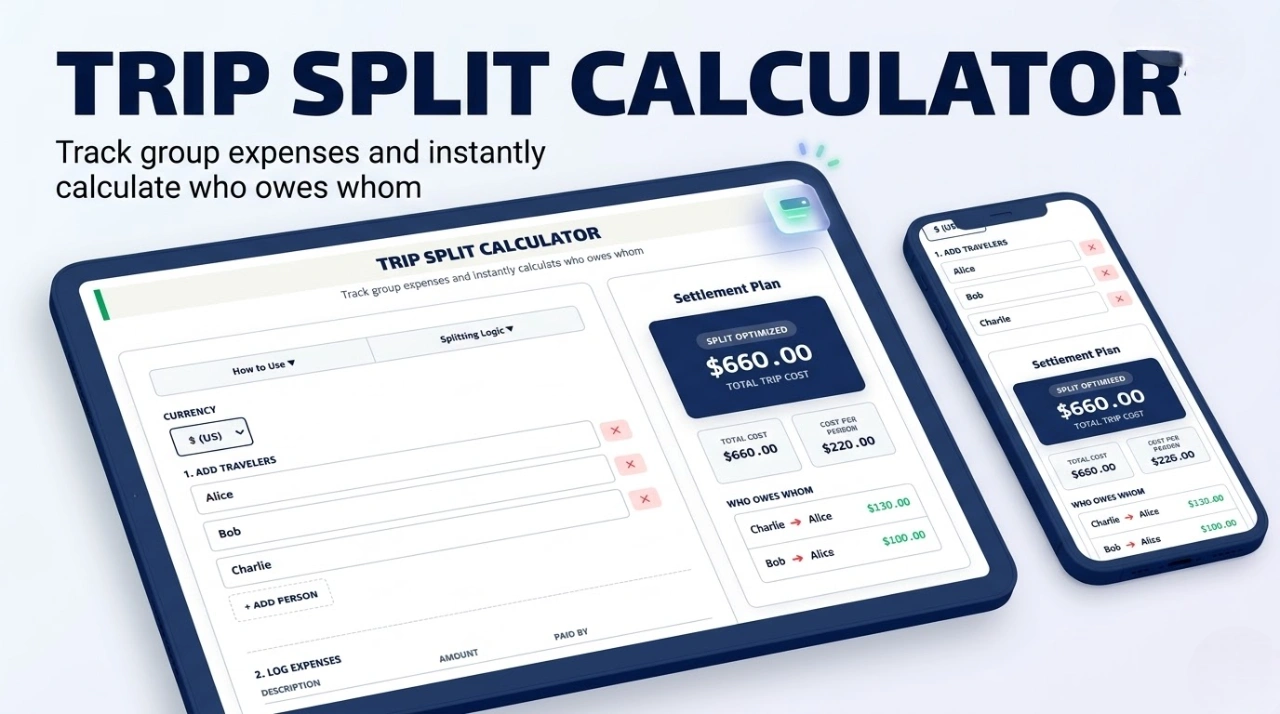
TRIP SPLIT CALCULATOR
Track group expenses and instantly calculate who owes whom
- Add Travelers: Add the names of everyone on the trip.
- Add Expenses: Log each bill (e.g., Hotel, Dinner), the amount, and select who paid it.
- Calculate: Click “Calculate Split” to generate an optimized settlement plan.
Optimized Settlements: This calculator uses a transaction minimization algorithm. If Alice owes Bob $20, and Bob owes Charlie $20, the tool will simply tell Alice to pay Charlie $20 directly, saving time and transfer fees.
Settlement Plan
What is a Trip Split Calculator?
A trip split calculator is an essential financial utility designed to simplify how friends, families, and colleagues manage shared costs. Whenever you travel in a group, it is incredibly rare for one person to pay for absolutely everything, or for every bill to be divided perfectly evenly at the register. Usually, one person covers the hotel, another books the rental car, and someone else picks up the tab for a group dinner.
Trying to split travel expenses manually at the end of a vacation can cause confusion, math errors, and awkwardness. A dedicated group expense calculator automates the entire process, tracking every receipt and generating a clean, mathematically perfect settlement plan so everyone pays exactly their fair share.
Why Use a Group Trip Split Calculator Instead of a Spreadsheet?
While a basic spreadsheet can sum up total costs, it utterly fails at debt simplification. If you use our advanced Group Trip Split Calculator, you benefit from a built-in Transaction Minimization Algorithm. This is the exact same complex logic utilized by premium bill-splitting apps.
How it works: If Alice owes Bob $50, and Bob owes Charlie $50, a traditional spreadsheet will tell Alice to pay Bob, who then has to open his banking app to pay Charlie. Our smart Trip Expense Calculator recognizes this chain and simply instructs Alice to pay Charlie $50 directly. This minimizes the total number of banking transactions required to settle up, saving your group valuable time and avoiding potential international transfer fees.
Common Expenses to Log in Your Trip Expense Calculator
To ensure your final split is 100% accurate, you should log these common travel costs into the tool exactly as they happen:
- Accommodation: Hotel bookings, Airbnbs, or resort fees (usually paid heavily in advance by one traveler).
- Transportation: Flight tickets, rental cars, Uber/Lyft rides, train tickets, and gas/fuel costs.
- Food & Dining: Group restaurant bills, groceries for the rental house, and bar tabs.
- Activities & Excursions: Museum tickets, guided tours, ski lift passes, and amusement park entry fees.
Top Scenarios for Using an Expense Splitting Tool
- Backpacking & International Travel: Keep track of daily hostel and food costs without needing to exchange physical cash or split coins constantly.
- Bachelor / Bachelorette Parties: Easily manage the large, pooled expenses for event bookings, VIP tables, and shared gifts.
- Roommate Household Bills: Beyond just travel, this tool is absolutely perfect for roommates who need to split monthly rent, utility bills, and shared groceries seamlessly.
Frequently Asked Questions (FAQs)
Does this calculator support unequal splits?
To keep the interface lightning-fast for the majority of use cases, this specific calculator assumes that all logged expenses are shared equally among all listed travelers (e.g., a shared hotel room or a group dinner). If one person bought a completely personal item (like a souvenir or personal meal), it is best to leave that off the group calculator.
Can I add an expense where multiple people paid?
If a bill was split at the register (e.g., Alice paid $100 and Bob paid $50 for a $150 dinner), simply log it as two separate expenses in the tool: “Dinner (Alice)” for $100, and “Dinner (Bob)” for $50. The algorithm will combine and process them perfectly in the final settlement.
Is my financial data saved or tracked?
No. This calculator operates entirely locally via client-side JavaScript. Your names, trip expenses, and settlement data are processed directly inside your web browser and are never transmitted to or saved on our servers, ensuring 100% data privacy.