BCRYPT PASSWORD GENERATOR (HASH GENERATOR)
Generate secure, salted password hashes
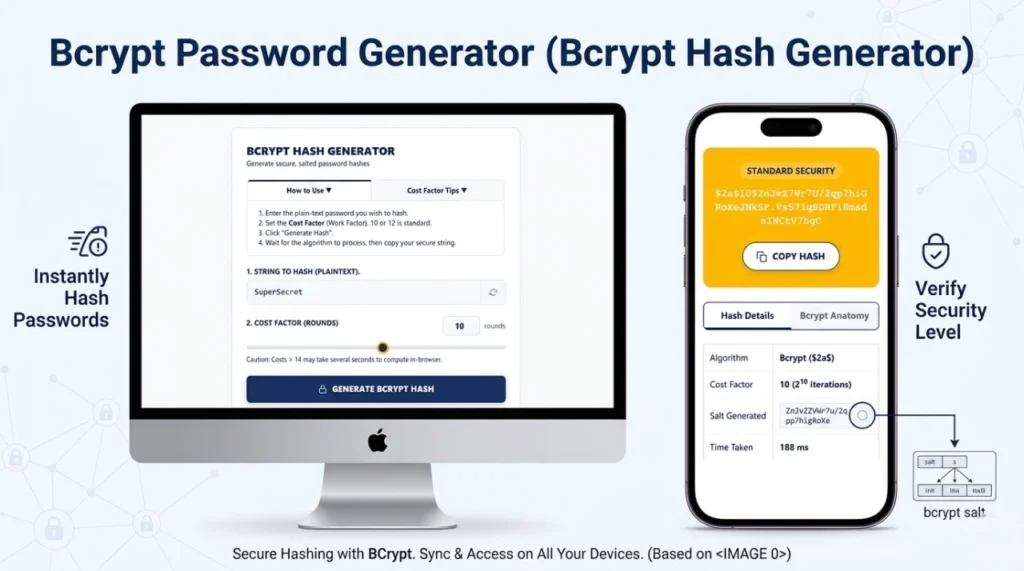
- Enter the plain-text password you wish to hash.
- Set the Cost Factor (Work Factor). 10 or 12 is standard.
- Click “Generate Hash”.
- Wait for the algorithm to process, then copy your secure string.
What is Cost Factor? Bcrypt is intentionally slow to defeat brute-force attacks. Increasing the cost factor by 1 doubles the time it takes to compute the hash. A cost of 12 is highly recommended for modern web apps.
| Algorithm | Bcrypt ($2a$) |
| Cost Factor | – |
| Salt Generated | - |
| Time Taken | – ms |
A standard Bcrypt hash is exactly 60 characters long and contains four distinct parts:
- $2a$ : Algorithm Identifier
- 10$ : Cost Factor (Rounds)
- 22 chars : 128-bit Cryptographic Salt
- 31 chars : 184-bit Computed Hash
What is Bcrypt Hash Generator?
A bcrypt password generator (bcrypt hash generator) is an essential cryptographic utility utilized by software developers, network engineers, and system administrators to securely convert plain-text passwords into irreversible character strings. Acting as a powerful password hash generator, it ensures that if a database is ever compromised or leaked, the original user passwords remain mathematically impossible to read or reverse-engineer.
How Bcrypt Password Hashing Works
Bcrypt is based on the Blowfish block cipher algorithm. The reason it excels at secure password hashing is due to its two primary defense mechanisms: automatic salting and key stretching. When a plaintext string is submitted to the algorithm, it generates a unique, random 128-bit salt and fuses it with the password. It then processes this combined string through a loop (determined by the cost factor), generating a distinctly unique hash every single time—even if the exact same password is used twice.
Generate Bcrypt Hash Online (Step-by-Step)
Using our bcrypt online tool is simple, fast, and entirely secure. Follow these steps:
- Type or paste your plain-text password into the “String to Hash” field.
- Adjust the “Cost Factor (Rounds)” slider. The industry standard is 10 or 12.
- Click the “Generate Bcrypt Hash” button.
- Wait for the in-browser algorithm to process, then click “Copy Hash” to save your secure string.
What is Cost Factor in Bcrypt?
The “Cost Factor” (or Work Factor) is the defining feature that keeps bcrypt secure over time. It dictates the number of iterations the algorithm runs, operating on a logarithmic scale of 2N. For example, a cost factor of 10 means the algorithm iterates 210 (1,024) times. If you increase the cost to 12, it iterates 212 (4,096) times. This intentional slowness effectively neutralizes brute-force attacks by making them take thousands of years to compute.
Bcrypt Hash Format Explained
Every hash produced by a bcrypt password generator is exactly 60 characters long and contains four highly specific segments. For example, in the hash $2a$10$N9qo8uLOickgx2ZMRZoMyeIjZAgcfl7p92ldGxad68LJZdL17lhWy:
- $2a$: The algorithm identifier (indicating bcrypt).
- 10$: The Cost Factor (rounds).
- Next 22 chars: The randomly generated 128-bit cryptographic Salt.
- Final 31 chars: The actual computed 184-bit hash checksum.
Benefits of Using Bcrypt for Password Security
The foremost benefit of using bcrypt over older algorithms is its sheer resistance to modern hardware attacks. Because it requires heavy CPU processing time, hackers cannot rely on massive arrays of GPUs to crack passwords quickly. Additionally, the integrated 128-bit salt completely nullifies “Rainbow Table” attacks (pre-computed lists of cracked password hashes).
Bcrypt vs Other Hashing Algorithms
| Algorithm | Processing Speed | Security Posture | Best Use Case |
|---|---|---|---|
| MD5 / SHA-1 | Extremely Fast | Compromised | File checksums only. Never for passwords. |
| SHA-256 | Very Fast | Moderate (Needs manual salt) | Data integrity, blockchain, digital signatures. |
| Bcrypt | Intentionally Slow | Highly Secure | User password storage and authentication databases. |
How to Verify a Bcrypt Password
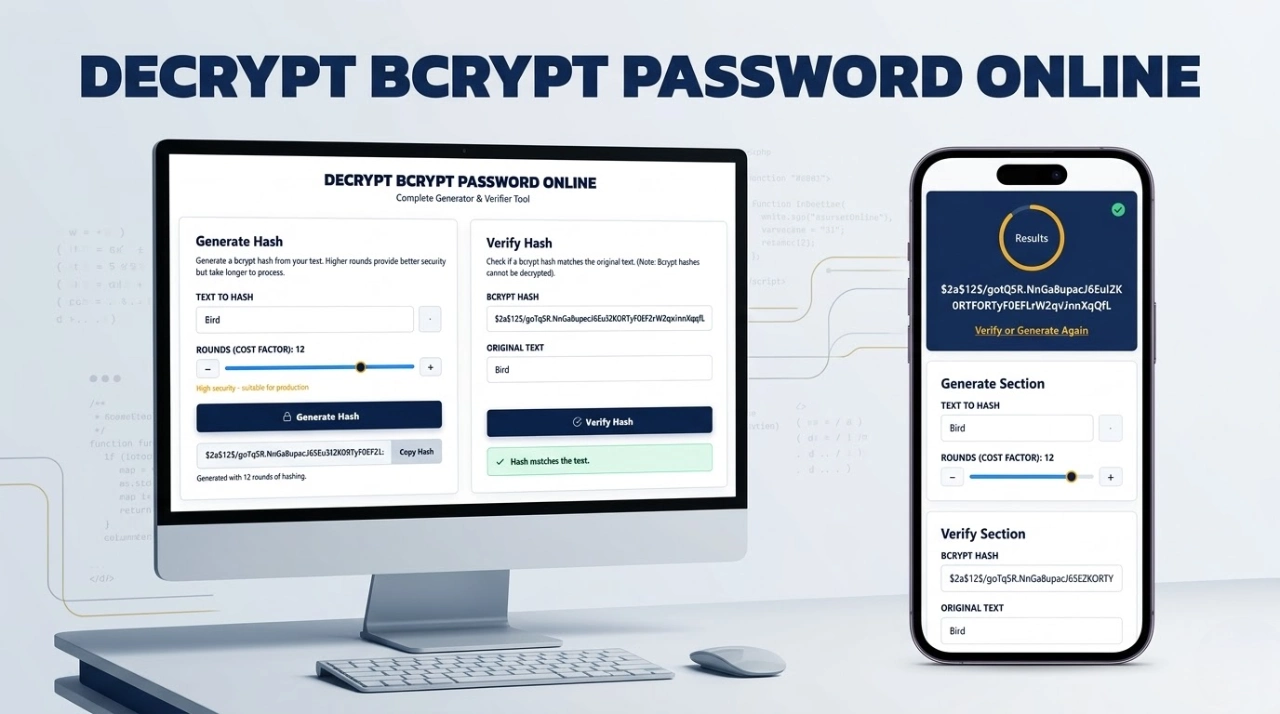
Because bcrypt is a one-way cryptographic function, it is mathematically impossible to decrypt a hash back into plaintext text. Therefore, to check if a password is correct, you do not decrypt it. Instead, you take the entered plaintext password, extract the salt and cost factor from the database hash, and run it through the algorithm again to see if the outputs match. You can test this exact process utilizing our dedicated tool here: How to Verify a Bcrypt Password.
Features of Our Bcrypt Hash Generator Tool
- 100% Client-Side Privacy: Uses
bcrypt.jsto process everything locally in your browser. No server calls are made. - Dynamic Cost Slider: Visually test how different rounds (from 4 to 15) impact CPU generation time.
- Anatomy Breakdown: Learn exactly how your hash is structured with our visual hash breakdown tab.
When Should You Use Bcrypt?
You should use bcrypt whenever you are engineering a system that accepts and stores user credentials. Whether you are building a custom login portal in Node.js, PHP, Python, Java, or Ruby, secure password hashing via bcrypt should be your default methodology for protecting user data.
Is Bcrypt Secure for Modern Applications?
Yes. Despite being introduced over two decades ago (1999), bcrypt remains an unshakeable industry standard. Because the cost factor is scalable, developers can continuously increase the required processing power to outpace advancements in hacker hardware. While newer algorithms like Argon2 exist, bcrypt remains deeply integrated, highly tested, and definitively secure.
Common Uses of Bcrypt Hashing
- Web application user authentication tables.
- API token securing and basic credential storage.
- Framework default authentication pipelines (e.g., Laravel, Ruby on Rails, Spring Security).
Tips for Creating Strong Passwords Before Hashing
A hashed string is only as secure as the password behind it. If a user chooses “password123”, even bcrypt can be cracked via a simple dictionary attack. Encourage users to create long passphrases (16+ characters), utilize numbers and symbols, and implement a password manager. You can use a secure password generator to create a highly entropic string before hashing it.
Limitations of Bcrypt Algorithm
Bcrypt does have a few known technical constraints. The most notable limitation is that it truncates passwords at exactly 72 bytes. If a user enters a password longer than 72 characters, bcrypt ignores the excess characters. To circumvent this safely, modern systems often pre-hash the password with SHA-256 before passing it into the bcrypt algorithm. Additionally, bcrypt is highly CPU-intensive but not memory-intensive, making it slightly more vulnerable to specialized ASIC hardware compared to memory-hard algorithms like Argon2.
Frequently Asked Questions (FAQs)
Can I decrypt a bcrypt hash?
No. Bcrypt is a one-way cryptographic function. It is impossible to reverse the hash back to the original password. You can only verify it by hashing a guessed password and comparing the results.
Is this online tool safe to use with real passwords?
Yes. Our bcrypt online tool runs entirely locally in your web browser using JavaScript. Your inputs are never transmitted over the internet, saved in cookies, or stored on our servers.
What cost factor should I use?
For modern web applications, a cost factor of 10 or 12 is generally recommended. It provides a strong balance between impenetrable security against brute-forcing and acceptable login response times for your users.
Expertise & Authoritative Guidelines
To ensure your authentication systems remain secure against state-sponsored and localized threats, we highly recommend following the authoritative guidelines published by global cybersecurity bodies:
- OWASP Password Storage Cheat Sheet: The Open Web Application Security Project’s definitive guide on utilizing Bcrypt, Argon2, and PBKDF2 for safe credential handling.
- NIST Digital Identity Guidelines (SP 800-63B): The National Institute of Standards and Technology requirements for verifier storage and memory-hard cryptographic functions.